How to make podcast clips that look professional
Upload the episode, pick the Podcast style, and Clypmint returns an edited video rather than a cropped one. It cuts on word boundaries, keeps the picture on whoever is talking, and opens on a fast trailer of the best lines. Most clip tools find the moment and add subtitles. This one edits the moment after it is found.
Starter is $29 a month for 120 editing credits. Pro is $89 a month for 400 editing credits. Operator is $189 a month for 900 editing credits. Agency is $499 a month for 2400 editing credits.
Why this is hard
- Clipping tools give you a crop and a subtitle. The clip still looks like a Zoom call.
- Every podcast clip on the internet now looks the same.
- Editing 10 clips a week by hand is a part-time job.
How to do it, step by step
- Upload the episode
Upload the recording. Check the longest single file your plan accepts before you start.
- Pick a conversation style
Podcast was measured from a professionally edited video podcast shot on three cameras. For a punchy one-person clip, pick Luxe or Tech.
- Let it find and cut the moment
Clypmint reads the transcript, keeps the strongest takes, and cuts on the speaker word boundaries so the audio never breaks mid-word.
- Steer it in a sentence
Tell the AI editor to start later, hold a line longer, or lean on a different quote.
- Export the clip
Download it and post it.
Which styles suit this
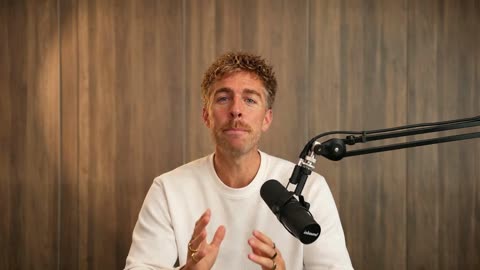
Podcast
Conversations where the picture follows who is talking.
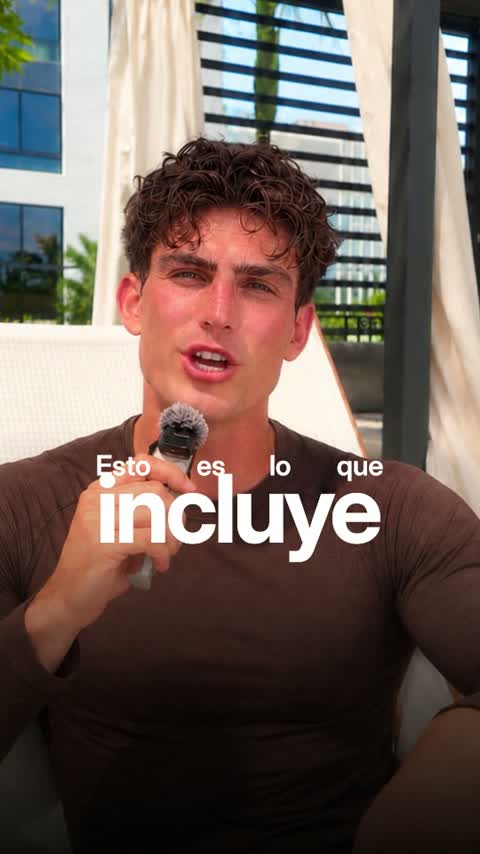
Luxe
Big set words and framed cards. Polished and premium.
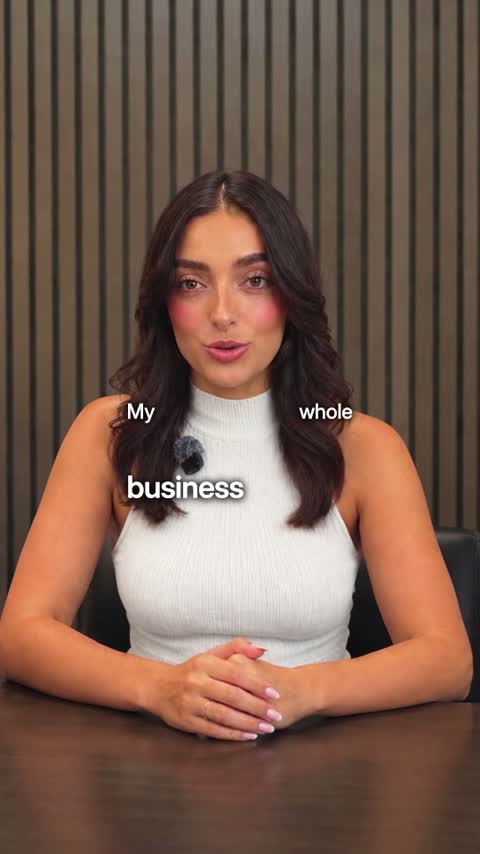
Tech
Real pictures of what you name and crisp two-voice captions.
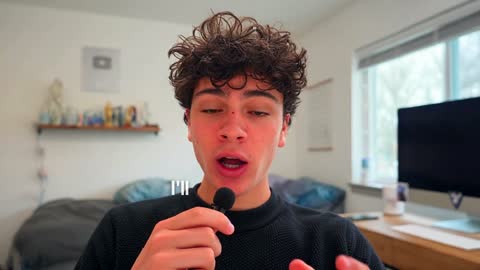
YouTube
Long videos with clean subtitles, counts and titles.
Or browse every Clypmint style.
What Clypmint will not do here
Clypmint is not a clip-mining tool. If your only need is finding 20 postable clips in a 2-hour episode as fast as possible, a dedicated clipper does that job for less money.
Questions
Is this the same as Opus Clip?
No. Opus Clip finds the clip inside a long recording. Clypmint edits the clip once you have it, with a designed style, designed cards, and motion graphics.
Does it handle two people on screen?
Yes. The Podcast style keeps the picture on whoever is talking and types each name the first time that side is seen.
Can I make vertical clips from a wide recording?
Pick a vertical style. Styles state the shape they are built for, and a vertical style produces a vertical video.
What does Clypmint cost?
Starter is $29 a month for 120 editing credits. Pro is $89 a month for 400 editing credits. Operator is $189 a month for 900 editing credits. Agency is $499 a month for 2400 editing credits. You are billed monthly and you can cancel any time.
Is there a free trial?
Sign up and choose a plan to start creating. Plans start at $29 a month. Upload your footage, choose a style, and review your finished video. No watermark. Cancel any time.
Other jobs
Send us the recording.
Sign up and choose a plan to start creating. Plans start at $29 a month. Upload your footage, choose a style, and review your finished video. No watermark. Cancel any time.