AI video editor for real estate agents
Clypmint is an AI video editor for real estate agents. Film a home tour or talk to your phone, and Clypmint sends back a finished Reel with captions, smooth zooms and your listing photos on the words. Ask for changes in plain words, then post it.
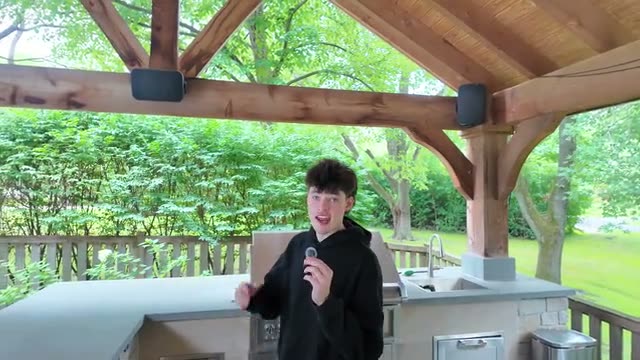
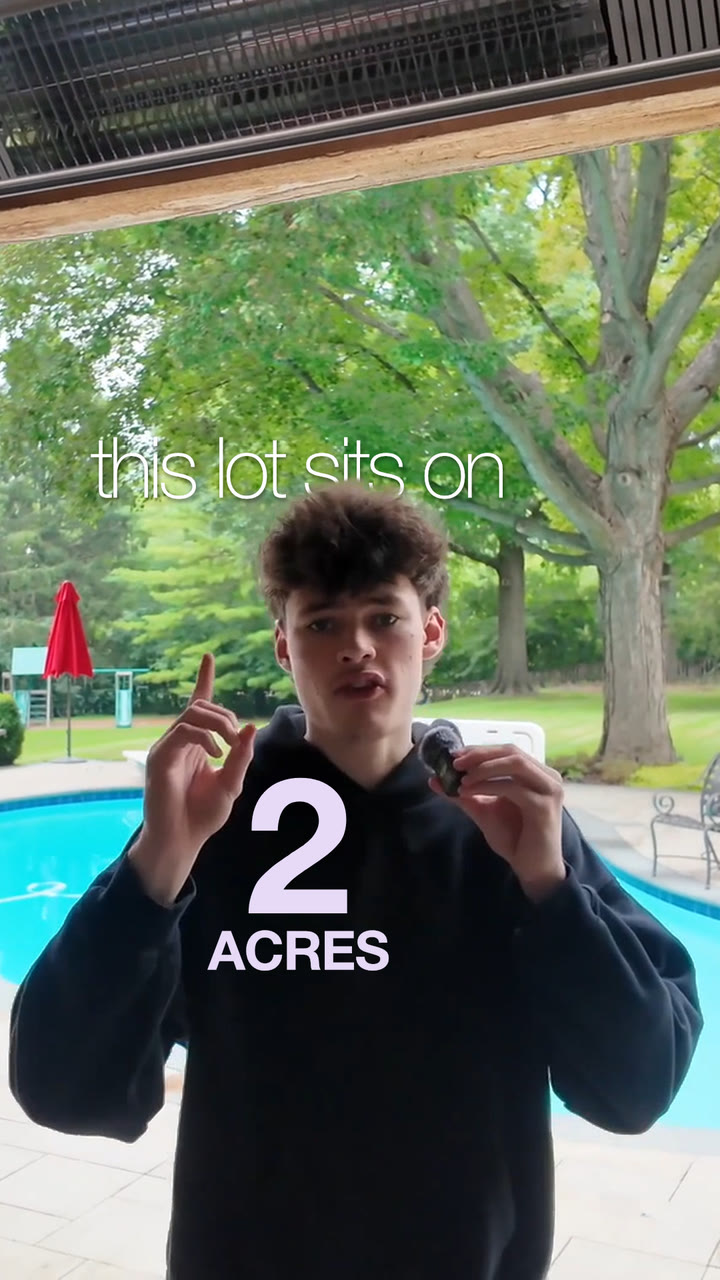
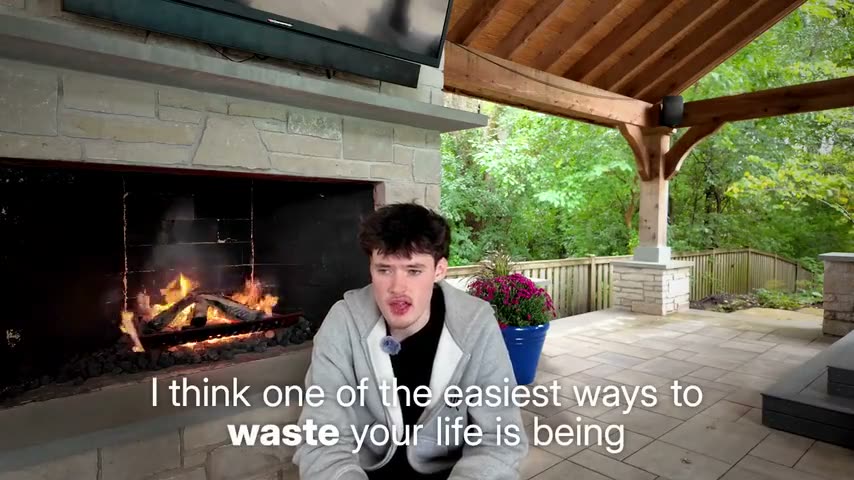
Make my free videoLiam at a house with a pool, edited by Clypmint in the Real estate style. We wrote a listing script over his take to show the style; the film plays silent.
An AI video editor made for listings, tours and agent brands
Made for real estate
Every caption, zoom and picture follows a style measured from a top realtor’s reel. Your videos look like an agent’s, not a template’s.
No editing skills needed
Film on your phone and upload. Clypmint cuts the pauses and mistakes and does the editing for you, start to finish.
Ready for Reels and TikTok
You get a vertical video sized for Instagram Reels, TikTok and YouTube Shorts, with captions burned in.
Why agents choose Clypmint for their videos
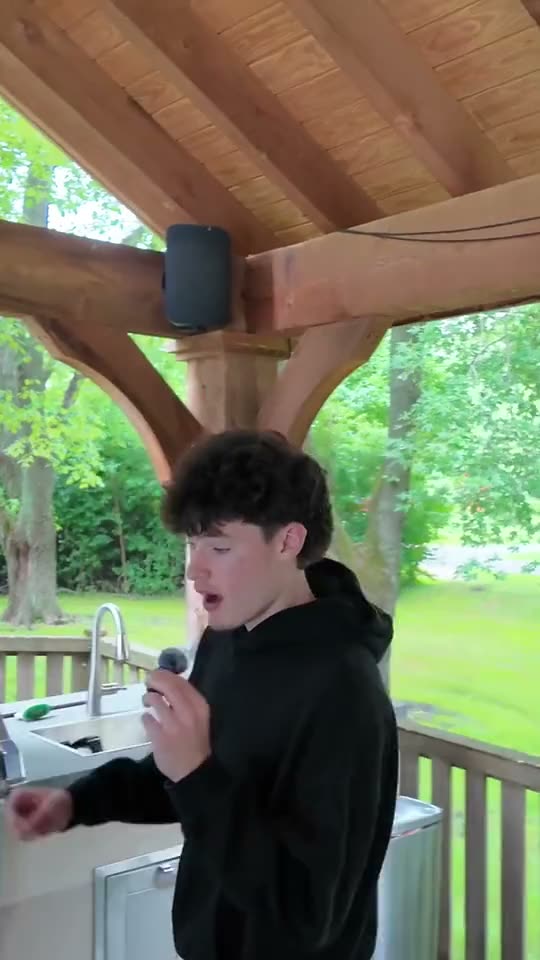
Glass key words
One key word in each line turns to glass and catches the light, like “pavilion” and “stone fireplace.” Viewers get it with the sound off.
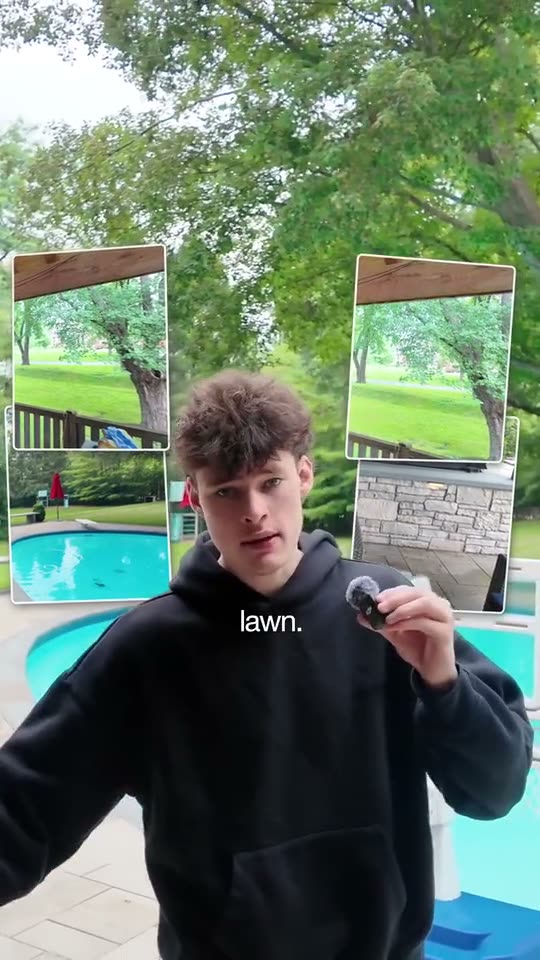
Your listing photos on the words
Add up to 50 photos or clips with your video. Say “heated pool” or “hot tub” and that photo shows up around you.
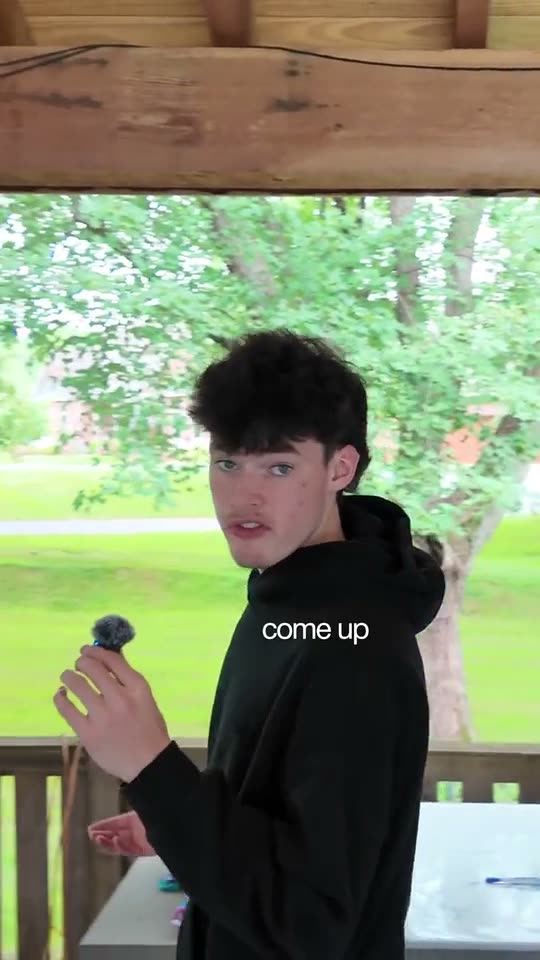
Zooms that keep you whole
The camera breathes in as each shot opens and keeps all of you in the middle of the frame, never just your head.
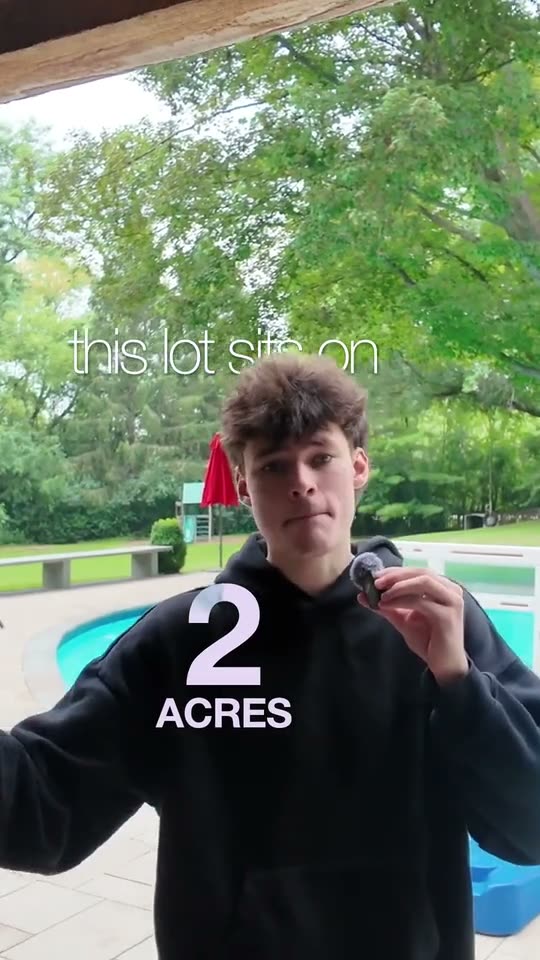
Numbers that count up
Say the lot size, the price or the homes you sold, and the number counts up in glass as you say it.
How to make a real estate video with Clypmint
Step 1
Film the home, or yourself
Walk through the listing and talk, or speak to your phone about the market. One take is fine, and good light helps most.
Step 2
Upload it with your photos
Upload the video and add listing photos if you want them on screen. Pick the Real estate style, or let Clypmint pick for you.
Step 3
Get your finished Reel
Clypmint cuts the pauses, adds captions, zooms and your photos, and sends back a video that is ready to post.
Step 4
Change anything in plain words
Ask for a different opening, a bigger price or a new song. Every video gets two rounds of changes. Then download it and post.

Explore Clypmint for every kind of video
Frequently asked questions
What is the best AI video editor for real estate agents?
The best one edits the video you already filmed, keeps you on screen and puts your own listings in it. Clypmint does that: you upload a tour or a talk, pick the Real estate style, and get back a finished Reel with captions, zooms and your photos.
Can AI edit my real estate videos?
Yes. Upload the video you filmed. Clypmint cuts the pauses and mistakes, adds captions, zooms and your listing photos, and sends back a finished video. Ask for changes in plain words.
What should a real estate Reel show?
Open on your best line or your best result. Keep your face on screen, say your numbers out loud, and end with one simple ask, like “text me for a tour.” The Real estate style is built that way.
Can I use my own listing photos?
Yes. Add up to 50 photos or clips with your video. When you name a listing, its photo shows up on the word.
Do I need a camera crew?
No. A phone is enough. Film in good light, hold the phone at eye level and talk the way you would to a client.
Will people get it with the sound off?
Yes. Captions are timed to the word, with key words colored and kept clear of the face.
What does Clypmint cost?
Starter is $29 a month for 120 editing credits. Pro is $89 a month for 400 editing credits. Operator is $189 a month for 900 editing credits. Agency is $499 a month for 2400 editing credits. Your first video is free, with no card. Send up to 3 minutes of footage and get one finished video back. Pick a plan when you want more.
Your next listing video starts here
Turn my backyard tour into a Reel and open on the pool…ClypmintSee plansYour first video is free, with no card. Send up to 3 minutes of footage and get one finished video back. Pick a plan when you want more.