How to make every video you post look like the same brand
Pick one Clypmint style and use it on everything. A style in Clypmint is a full editing grammar: the cut rules, the type system, the colour, and which graphic fires on which beat. Applying the same one to ten different recordings gives ten videos that read as one brand. On the plans that include cloning you can build a style from a reference video you own the rights to.
Starter is $29 a month for 120 editing credits. Pro is $89 a month for 400 editing credits. Operator is $189 a month for 900 editing credits. Agency is $499 a month for 2400 editing credits.
Why this is hard
- Every video you post looks like it came from a different company.
- You have brand colours and a font, and none of it survives an edit.
- Different freelancers, different styles, every month.
How to do it, step by step
- Pick one Clypmint style
Choose the one that fits the shape and length you post most. Do not switch it per video.
- Use it on everything
Apply the same style to every recording. The cut rules and the type system carry across, so the videos read as a set.
- Keep it as your style
Your first video saves its style as your brand’s style, so every video after it comes back in the same style. You can change it at any time.
- Keep steering in words
The AI editor can change a video without changing the style it was built in.
Which styles suit this

Personal brand
Captions on the chest and push-ins on your numbers. Your face is the film.
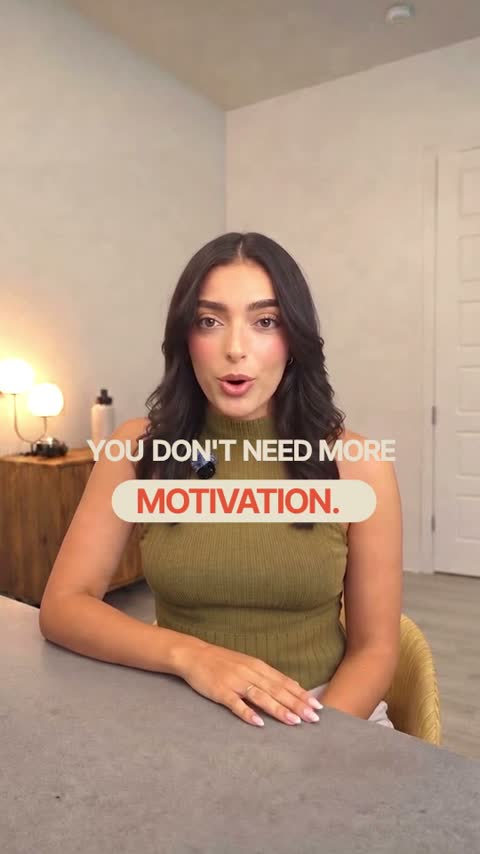
Warm
Soft pill captions and cream cards. Friendly and clear.
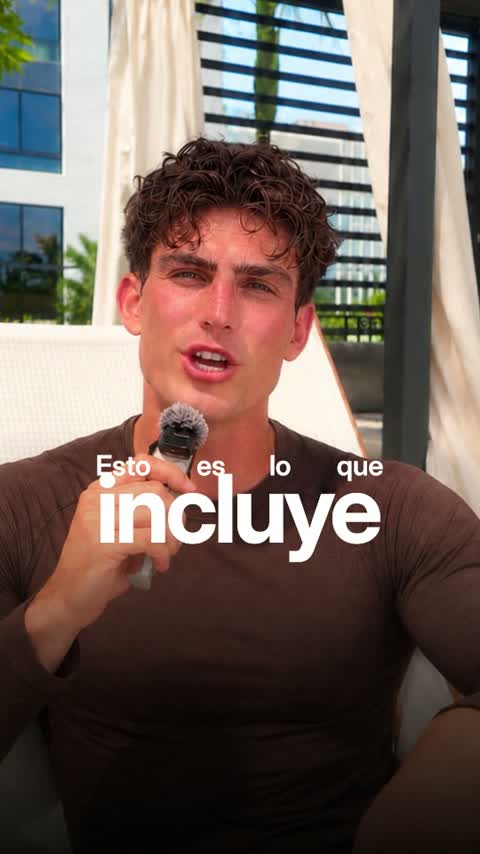
Luxe
Big set words and framed cards. Polished and premium.
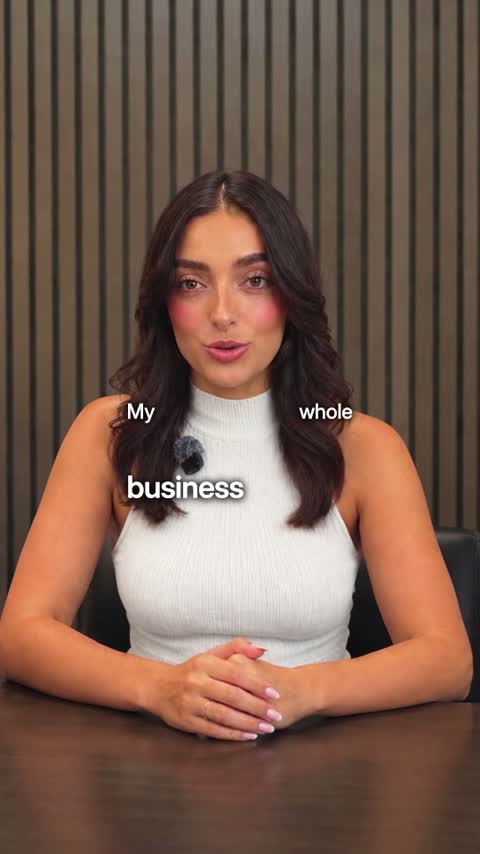
Tech
Real pictures of what you name and crisp two-voice captions.
Or browse every Clypmint style.
What Clypmint will not do here
You pick from the Clypmint styles, or clone one from a video you love on Pro and up. You cannot upload a brand guide and get it back as a style today.
Questions
Can I upload my brand fonts and colours?
Not directly. Pick the Clypmint style closest to your brand and ask the AI editor for the changes. Your first video saves that style as your brand’s style.
Can I copy a style from a video I found online?
Yes, on Pro and up. Paste a link to the video or upload it, and Clypmint clones its captions, fonts, cuts, zooms and graphics into a style you keep. It tells you what it cannot draw yet.
How many styles can I save?
One saved style for each kind of video: one for posts, one for ads and one for YouTube. Any single video can still use a different style when you ask for it.
What does Clypmint cost?
Starter is $29 a month for 120 editing credits. Pro is $89 a month for 400 editing credits. Operator is $189 a month for 900 editing credits. Agency is $499 a month for 2400 editing credits. You are billed monthly and you can cancel any time.
Is there a free trial?
Sign up and choose a plan to start creating. Plans start at $29 a month. Upload your footage, choose a style, and review your finished video. No watermark. Cancel any time.
Other jobs
Send us the recording.
Sign up and choose a plan to start creating. Plans start at $29 a month. Upload your footage, choose a style, and review your finished video. No watermark. Cancel any time.